What Is a Laptop Motherboard? A Complete Guide
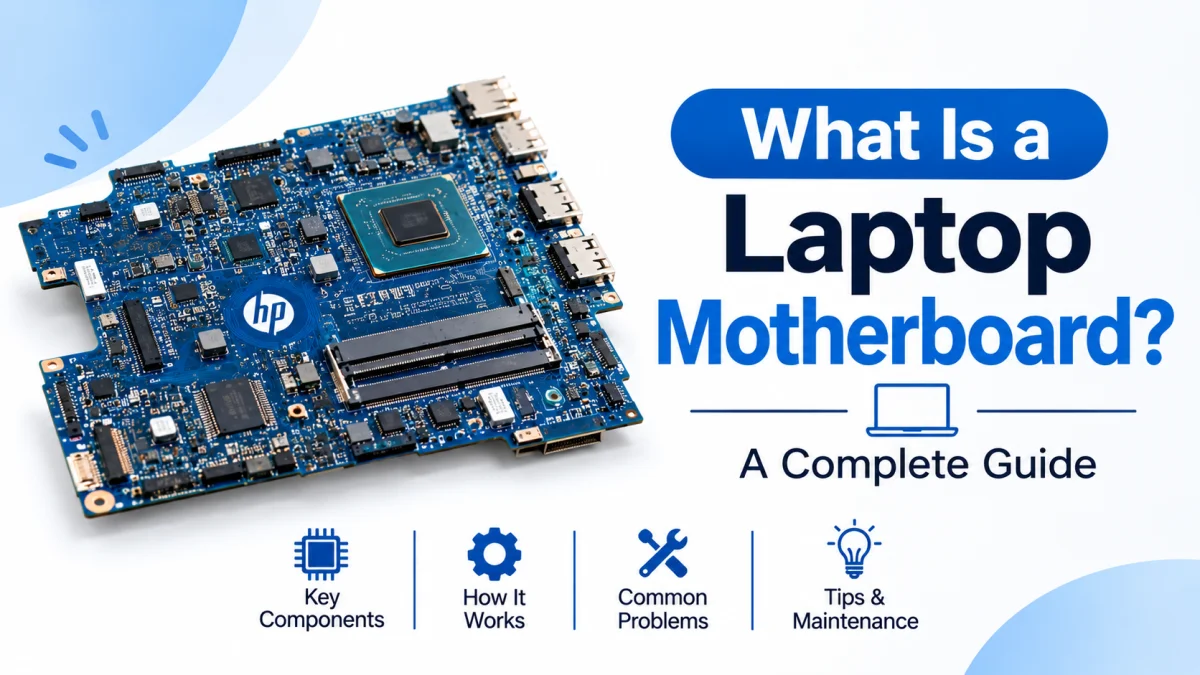
A laptop motherboard is one of the most important components inside a laptop. It connects the processor, memory, storage, graphics hardware, battery, display, keyboard, and other essential components so they can communicate and work together.
Without a functioning motherboard, a laptop cannot operate properly. Whether you use an HP, Dell, Lenovo, ASUS, or another laptop brand, the motherboard plays a central role in its performance and functionality.
But what exactly is a laptop motherboard, how does it work, and what happens when it becomes damaged?
In this guide, you will learn what a laptop motherboard is, understand its main components and functions, identify common motherboard problems, and discover when repair or replacement may be necessary.
What Is a Laptop Motherboard?
A laptop motherboard is the main printed circuit board (PCB) inside a laptop. It acts as the central connection point for the computer's essential hardware components.
It allows different components, including the CPU, RAM, storage drive, graphics processor, and other hardware devices, to communicate with each other.
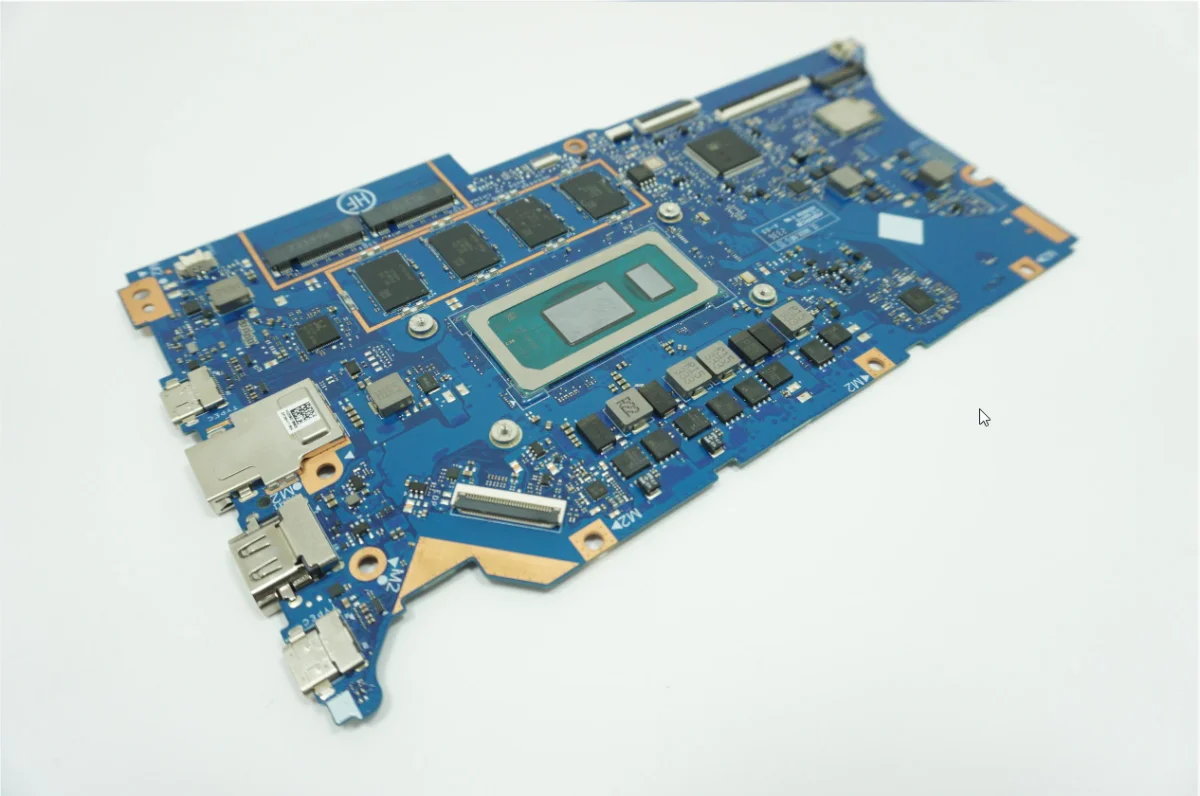
Unlike desktop computer motherboards, laptop motherboards are usually designed specifically for a particular laptop model or product family. They are generally smaller and more compact because they must fit inside a limited space.
A laptop motherboard may contain several integrated components, including:
CPU (Central Processing Unit)
GPU (Graphics Processing Unit), if integrated or soldered onto the board
RAM memory chips or memory slots
Storage connections, such as M.2 SSD slots or other supported interfaces
BIOS or UEFI firmware storage
Power management circuits
Audio and network controllers
USB, HDMI, and other connection interfaces
Cooling system connections
Some components are soldered directly onto the motherboard, while others may be connected through removable slots, cables, or connectors.
In simple terms, the motherboard is the main hardware platform that allows all the essential parts of a laptop to work together.
What Does a Laptop Motherboard Do?
A laptop motherboard performs several important functions. It connects hardware components, manages communication, distributes electrical power, and helps coordinate different computer operations.
Here are its main functions.
1. Connects All Major Hardware Components
The motherboard provides electrical connections and communication pathways between the CPU, RAM, storage, graphics hardware, and other components.
For example, when you open an application, the processor communicates with memory and storage through the system's hardware interfaces.
2. Distributes Power to Components
The motherboard contains power management circuits that help regulate and distribute electrical power to different hardware components.
It receives power from the laptop's charging system and battery, then supplies the appropriate power to supported circuits.
3. Enables Communication Between Components
Different laptop components need to exchange data to perform tasks.
The motherboard provides the electrical pathways and interfaces that allow the CPU, RAM, storage devices, display hardware, and other components to communicate.
4. Controls System Startup
The motherboard contains firmware, commonly known as BIOS or UEFI, which helps initialize hardware during the startup process.
When you turn on your laptop, the firmware performs initial hardware checks and begins the boot process before the operating system loads.
5. Supports External Connections
The motherboard connects internal hardware to external ports and interfaces.
Depending on the laptop model, these may include:
USB-A ports
USB-C ports
HDMI
Audio jack
Ethernet
SD card reader
Display connections
Not every port is necessarily mounted directly on the motherboard. Some laptop designs use separate daughterboards connected to the main board.
What Are the Main Components of a Laptop Motherboard?
A laptop motherboard contains many electronic components, connectors, and integrated circuits. Each has a specific purpose.
Understanding these components can help you better understand how a laptop works.
1. CPU (Central Processing Unit)
The CPU is commonly called the processor or the brain of a computer.
It executes instructions, performs calculations, and manages many of the operations required to run applications and the operating system.
Examples of laptop processors include:
Intel Core i3
Intel Core i5
Intel Core i7
Intel Core i9
AMD Ryzen 3
AMD Ryzen 5
AMD Ryzen 7
AMD Ryzen 9
In many modern laptops, the processor is soldered directly onto the motherboard. This means it generally cannot be upgraded like a removable desktop CPU.
2. RAM (Random Access Memory)
RAM temporarily stores data that the processor needs while applications and the operating system are running.
Some laptop motherboards contain removable SO-DIMM memory slots, while others use RAM chips soldered directly onto the board.
Depending on the laptop design, RAM may be upgradeable or permanently attached.
3. GPU (Graphics Processing Unit)
The GPU handles graphics-related calculations, including image rendering, video processing, and gaming workloads.
There are two common types of laptop graphics:
Integrated graphics: Built into the processor or system-on-chip.
Dedicated graphics: A separate graphics processor with its own memory, commonly soldered onto the motherboard in laptops.
The exact design depends on the laptop model.
4. BIOS or UEFI Chip
BIOS or UEFI firmware helps initialize hardware and start the operating system when the laptop powers on.
It also provides access to certain system configuration options, depending on the laptop manufacturer and model.
5. Power Management IC
Power management integrated circuits help regulate and control electrical power supplied to different parts of the motherboard.
Problems in the power management circuitry can cause charging issues, startup failures, or other hardware symptoms.
6. Storage Connectors
Laptop motherboards provide interfaces for connecting storage devices.
Common examples include:
M.2 NVMe SSD
M.2 SATA SSD, where supported
2.5-inch SATA SSD or HDD, where supported
The available storage interfaces vary by motherboard model.
7. Cooling System Connectors
The motherboard includes connectors for cooling fans and, depending on the design, other thermal management components.
The cooling system helps remove heat generated by the CPU, GPU, and other components.
8. Audio and Network Controllers
Audio and network hardware allow your laptop to handle sound, Wi-Fi, Bluetooth, and wired network communication.
Some controllers are integrated into other chips, while others are separate components.
How Does a Laptop Motherboard Work?
A laptop motherboard works by connecting different hardware components and allowing them to exchange data and receive electrical power.
Here is a simplified explanation of what happens when you use a laptop.
Step 1: Power On
When you press the power button, the laptop's power management circuitry begins the startup process.
Step 2: Hardware Initialization
The BIOS or UEFI firmware initializes supported hardware components and performs startup checks.
Step 3: Operating System Loading
The laptop begins loading the operating system from its storage device.
Step 4: Application Processing
When you open an application, the CPU processes instructions while RAM temporarily stores the data needed by the system.
Step 5: Graphics and Display Output
The integrated or dedicated GPU processes graphics information and sends the appropriate output to the laptop display.
Step 6: Component Communication
The motherboard's interfaces and communication pathways allow all these components to work together.
This process happens continuously while your laptop is running.
What Are the Different Types of Laptop Motherboards?
Laptop motherboards come in different designs depending on the manufacturer's requirements, laptop size, performance category, and hardware configuration.
1. Standard Laptop Motherboards
These are designed for everyday laptops used for browsing, office work, education, and general computing.
They typically support a processor, RAM, storage, integrated graphics, and essential connectivity features.
2. Business Laptop Motherboards
Business laptops often use motherboard designs that prioritize reliability, security features, and professional connectivity.
For example, HP EliteBook and ProBook laptops are designed for business and professional users.
3. Gaming Laptop Motherboards
Gaming laptop motherboards are designed to support higher-performance processors and graphics hardware.
They may include more advanced power delivery circuits and thermal management connections to handle demanding workloads.
4. Workstation Laptop Motherboards
Mobile workstation motherboards are designed for professional applications such as engineering, 3D design, CAD, and other demanding workloads.
They may support powerful processors, professional graphics hardware, and larger memory configurations.
5. Convertible and 2-in-1 Laptop Motherboards
Convertible laptops and 2-in-1 devices have specialized internal designs that accommodate touchscreen displays, flexible hinges, and compact hardware layouts.
Their motherboard configurations depend on the specific model.
What Are the Common Signs of a Bad Laptop Motherboard?
A damaged laptop motherboard can cause several hardware problems. However, motherboard failure is not always the reason behind every laptop issue.
Here are some common warning signs that may indicate a motherboard-related problem.
1. Laptop Does Not Turn On
If your laptop does not respond when you press the power button, a motherboard problem may be one possible cause.
However, a faulty charger, damaged charging port, defective battery, or power button can produce similar symptoms.
2. Laptop Turns On but No Display Appears
A laptop that powers on but shows a black screen may have problems involving its display, memory, graphics hardware, firmware, or motherboard.
A proper diagnostic test is necessary to identify the actual cause.
3. Random Shutdowns or Restarts
Unexpected shutdowns or repeated restarts can sometimes be related to motherboard power circuitry.
However, overheating, battery problems, faulty RAM, and software issues can also cause similar symptoms.
4. USB Ports or Other Connections Stop Working
If multiple USB ports or other motherboard-connected interfaces stop working, the problem may involve the motherboard or a connected daughterboard.
Individual port damage is also possible.
5. Charging Problems
If your laptop does not charge correctly, the charging port, adapter, battery, charging circuit, or motherboard may be responsible.
A technician should test the charging system before recommending motherboard replacement.
6. Burning Smell or Visible Damage
A burning smell, visible electronic damage, or unusual heat from the motherboard can indicate a serious hardware problem.
Turn off the laptop, disconnect external power if safe, and arrange professional inspection.
What Causes Laptop Motherboard Failure?
Laptop motherboards can fail for several reasons. Some problems develop gradually, while others happen suddenly.
Common causes include:
1. Overheating
Excessive heat can damage electronic components and may contribute to long-term hardware failure.
Poor ventilation, blocked cooling vents, and cooling system problems can increase internal temperatures.
2. Liquid Damage
Spilled water, coffee, or other liquids can cause electrical shorts and corrosion on motherboard circuits.
Liquid damage may not become immediately noticeable. Corrosion can continue developing over time.
3. Power Surges and Electrical Problems
Unstable electrical power, damaged chargers, or electrical faults may damage motherboard power circuits.
Using a compatible, reliable charger can help reduce unnecessary electrical risks.
4. Physical Damage
Dropping a laptop or applying excessive pressure can damage the motherboard, connectors, solder joints, or other internal components.
5. Component Aging
Electronic components can deteriorate over time due to heat exposure, electrical stress, and normal aging.
6. Improper Repair
Incorrect installation, poor-quality replacement parts, or careless handling during repairs can cause motherboard damage.
This is why professional repair is recommended for complex motherboard-level work.
Can a Laptop Motherboard Be Repaired?
Yes, many laptop motherboard problems can be repaired, depending on the type and severity of the damage.
A qualified technician may be able to repair specific motherboard components instead of replacing the entire board.
Common motherboard repair services include:
Charging circuit repair
Power IC replacement
Damaged connector repair
BIOS or firmware recovery
Short-circuit diagnosis and repair
Certain component-level soldering repairs
However, not every motherboard is repairable.
If the board has extensive physical damage, severe corrosion, or a failed component that cannot be economically repaired, replacement may be the better option.
Before approving a repair, ask the technician to identify the actual fault and explain the repair cost.
How Much Does a Laptop Motherboard Replacement Cost?
Laptop motherboard replacement costs vary considerably depending on the laptop brand, model, processor, graphics configuration, and availability of replacement parts.
Several factors influence the total cost:
Laptop model and generation
Processor and graphics configuration
New, refurbished, or used motherboard condition
Original manufacturer part availability
Technician labor charges
Warranty provided with the replacement
A motherboard for a basic laptop may cost considerably less than one designed for a gaming laptop or mobile workstation.
Before replacing a motherboard, compare the total repair cost with the current value of your laptop.
For older laptops, replacing the motherboard may not always be financially worthwhile.
Important: Always verify the exact motherboard part number and compatibility before purchasing a replacement. Motherboards from the same laptop series may have different configurations.
Can You Upgrade a Laptop Motherboard?
In most cases, upgrading a laptop motherboard is more complicated than upgrading a desktop computer motherboard.
Laptop motherboards are usually designed around specific chassis dimensions, cooling systems, processors, connectors, and power requirements.
A replacement board generally needs to match the laptop's supported hardware configuration.
Although some laptop models have compatible motherboard variants with different processor or graphics configurations, compatibility must be verified carefully.
Before attempting an upgrade, check:
Exact laptop model and product number
Original motherboard part number
Processor compatibility
RAM configuration
Graphics configuration
Display and connector compatibility
Cooling system requirements
BIOS and firmware support
A motherboard from another laptop model may not fit or function correctly, even if both devices belong to the same product series.
How to Take Care of Your Laptop Motherboard
Proper laptop maintenance can help reduce the risk of avoidable motherboard damage.
Follow these practical tips:
1. Keep Your Laptop Cool
Ensure that cooling vents remain unobstructed and that the laptop has adequate airflow.
Have the cooling system inspected if your laptop regularly overheats.
2. Avoid Liquid Exposure
Keep water, coffee, and other liquids away from your laptop.
If a spill occurs, turn off the laptop and seek professional inspection rather than attempting to power it on repeatedly.
3. Use a Compatible Charger
Use a charger that meets your laptop manufacturer's power and electrical specifications.
An incompatible or damaged adapter can create charging and power-related problems.
4. Handle Your Laptop Carefully
Avoid dropping the laptop, applying excessive pressure to its body, or carrying it in a way that puts stress on its chassis.
5. Clean Your Laptop Regularly
Dust buildup can restrict airflow and contribute to overheating.
Have the cooling fan and internal ventilation system cleaned when necessary.
6. Choose Qualified Repair Services
Motherboard-level repairs require specialized knowledge and equipment.
Choose an experienced technician rather than attempting complex repairs without proper training.
Laptop Motherboard vs Desktop Motherboard: What Is the Difference?
Laptop and desktop motherboards perform similar fundamental functions, but their designs and upgrade options are different.
The exact features depend on the particular laptop or desktop model.
How to Identify Your Laptop Motherboard Model
If you need to repair or replace your laptop motherboard, identifying the correct board is essential.
Here are several ways to find motherboard information.
1. Check Windows System Information
Press Windows + R, type msinfo32, and press Enter.
The System Information window displays details such as your laptop manufacturer and system model.
However, Windows may not display the exact motherboard part number, especially on laptops with manufacturer-specific board designs.
2. Use Command Prompt
Open Command Prompt and enter:
wmic baseboard get product,manufacturer,version,serialnumber
This command may display available motherboard information on supported Windows installations.
Note that WMIC is deprecated in newer Windows versions and may not be available on every system.
3. Check the Motherboard Label
In some laptops, the motherboard has a printed part number or identification label.
A technician can inspect the board to identify its exact model and part number.
Do not open your laptop unless you understand the safety precautions and warranty implications.
4. Check the Manufacturer's Support Website
For HP laptops, you can use the product number or serial number to find model-specific support information.
Visit:
The exact motherboard replacement part number may require checking the laptop's maintenance and service guide or parts documentation.
Frequently Asked Questions (FAQs)
1. What is a laptop motherboard in simple words?
A laptop motherboard is the main circuit board that connects the processor, RAM, storage, graphics hardware, and other components. It allows these parts to communicate and work together.
2. What is the main function of a laptop motherboard?
Its main function is to connect hardware components, manage communication between them, distribute electrical power, and support the laptop's startup and operation.
3. Can a laptop work without a motherboard?
No. A laptop cannot function without a working motherboard because it provides the essential electrical connections and communication pathways needed by the system.
4. How do I know if my laptop motherboard is damaged?
Common symptoms include failure to power on, unexpected shutdowns, charging problems, malfunctioning ports, and startup failures. However, these symptoms can also be caused by other faulty components.
5. Is a laptop motherboard repairable?
Yes. Certain motherboard problems, such as damaged charging circuits, faulty power components, and connector issues, may be repairable by a qualified technician. Severe damage may require replacement.
6. Can I upgrade my laptop motherboard?
Some laptop models support compatible motherboard replacements or configuration upgrades. However, most laptop motherboards are model-specific, so compatibility must be checked before purchasing another board.
7. How long does a laptop motherboard last?
There is no fixed lifespan for a laptop motherboard. Its longevity depends on component quality, operating temperature, electrical conditions, physical handling, and maintenance.
8. Is replacing a laptop motherboard worth it?
It depends on the laptop's age, market value, motherboard price, and repair cost. For a relatively new laptop, replacement may be worthwhile. For an older laptop, purchasing another device may be more economical.
9. Does a laptop motherboard affect performance?
Yes. The motherboard determines which processors, memory configurations, storage interfaces, and other hardware components a laptop can support. However, actual performance also depends on the installed hardware and software.
10. Are all HP laptop motherboards the same?
No. HP laptops use different motherboard designs depending on the model, generation, processor, graphics configuration, and other hardware requirements. Always verify the exact part number before purchasing a replacement.
Final Thoughts
A laptop motherboard is the foundation of a laptop's hardware system. It connects essential components such as the CPU, RAM, storage, graphics hardware, and power management circuits, allowing everything to work together.
Understanding what a laptop motherboard does can help you identify potential hardware problems, make informed repair decisions, and choose a compatible replacement when necessary.
Whether you use an HP EliteBook, ProBook, Pavilion, Envy, or another laptop series, knowing the basics of motherboard functionality is useful for maintaining your device.
For more laptop component guides, HP laptop specifications, buying advice, and updated HP laptop prices in Bangladesh, explore HP Laptop Price BD.